Incident reporting and learning, built for regulated care.
Staff report from their phone in a few minutes. Managers grade, review and close each incident with every notification, action and lesson on the record, ready for an inspector, commissioner or family who asks.
Every incident, from first report to lessons learned.
Paper forms, shared inboxes and spreadsheets lose incidents between the person who saw it and the person who has to act. Assure keeps one record for each incident and moves it through report, review, actions and closure, so nothing sits in a drawer.
- Counts that mean something. Open incidents, red severity and overdue actions sit at the top of the page. Tap any of them to filter the list.
- Filters that match how you work. By person, category, severity, status and date range.
- A clear warning for red incidents that still need review, so they are dealt with the same day.
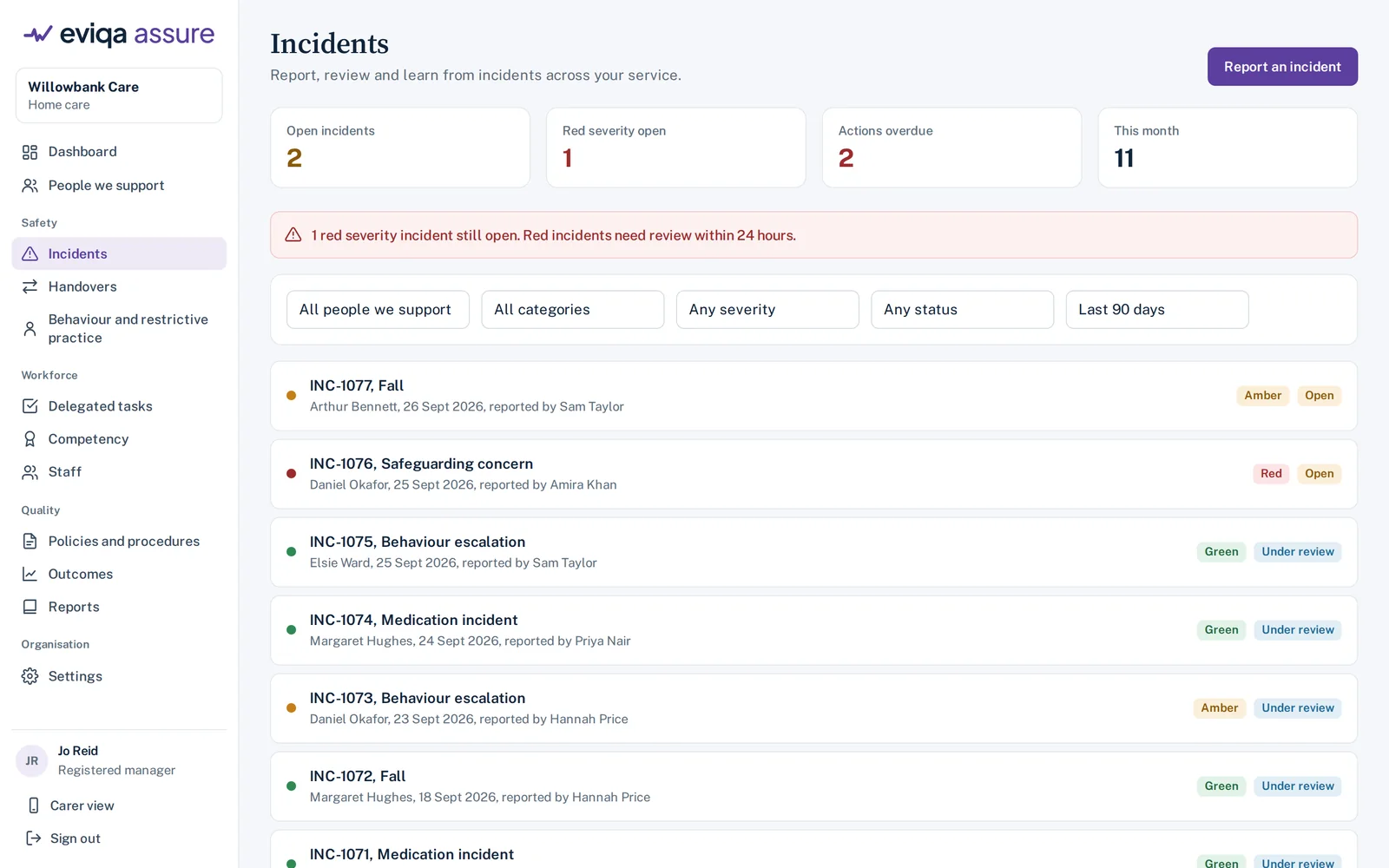
The incidents list. Sample data from a fictional service.
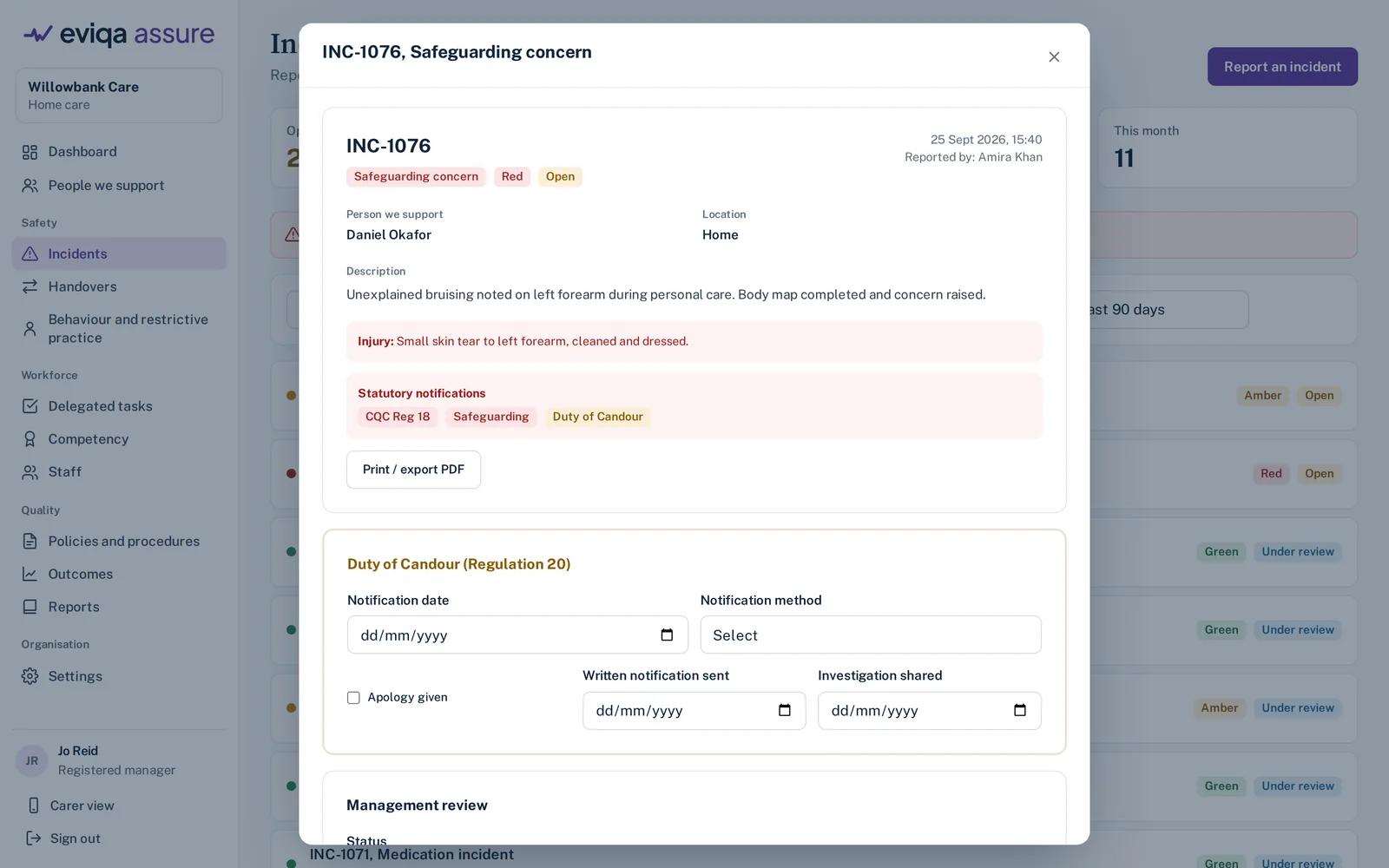
An incident record with notification prompts and the Duty of Candour section.
Prompts for the duties that are easy to miss.
When an incident is graded, Assure shows which notifications may apply, such as a CQC notification, a safeguarding referral or a notifiable safety incident under the Duty of Candour. It does not decide for you. It makes sure the question is asked and the answer is recorded.
- Duty of Candour, step by step: notification date and method, apology, written notification and sharing the findings of the investigation.
- Category-specific questions. A fall asks about the type and mechanism. A medication error asks for the error type and medicine. A safeguarding concern asks for the type of concern and the local authority referral status.
- RIDDOR and insurer prompts where they may apply, with a place to record what was done.
What you can record
Enough detail for a proper review, without making staff fill in fields that do not apply.
Severity grading
Red, amber and green grading, with red incidents flagged for review within 24 hours.
Injuries and body maps
Record whether anyone was hurt, describe the injury and mark it on a body map.
People involved
The person supported, staff on shift, witnesses and anyone else involved. Staff-only incidents are supported too.
Actions with owners
Each action has an owner and a due date. Overdue actions show on the dashboard until they are done.
Review and root cause
Management review notes, root cause and lessons learned, so the same thing is less likely to happen again.
Linked records
Link an incident to a previous incident or to a delegated clinical task, so patterns show up.
See real change, not noise.
A busy week does not always mean something has gone wrong. Assure charts incidents each week using the statistical process control method from NHS England's Making Data Count, so you can tell normal variation from a genuine change that needs action.
The reports library then turns your incidents into the documents people ask for: an incident register, incident trends by category, time of day and day of week, falls, medication and safeguarding reports, a notifications log, a Duty of Candour log, overdue actions, and a plain-language incident summary for commissioners.
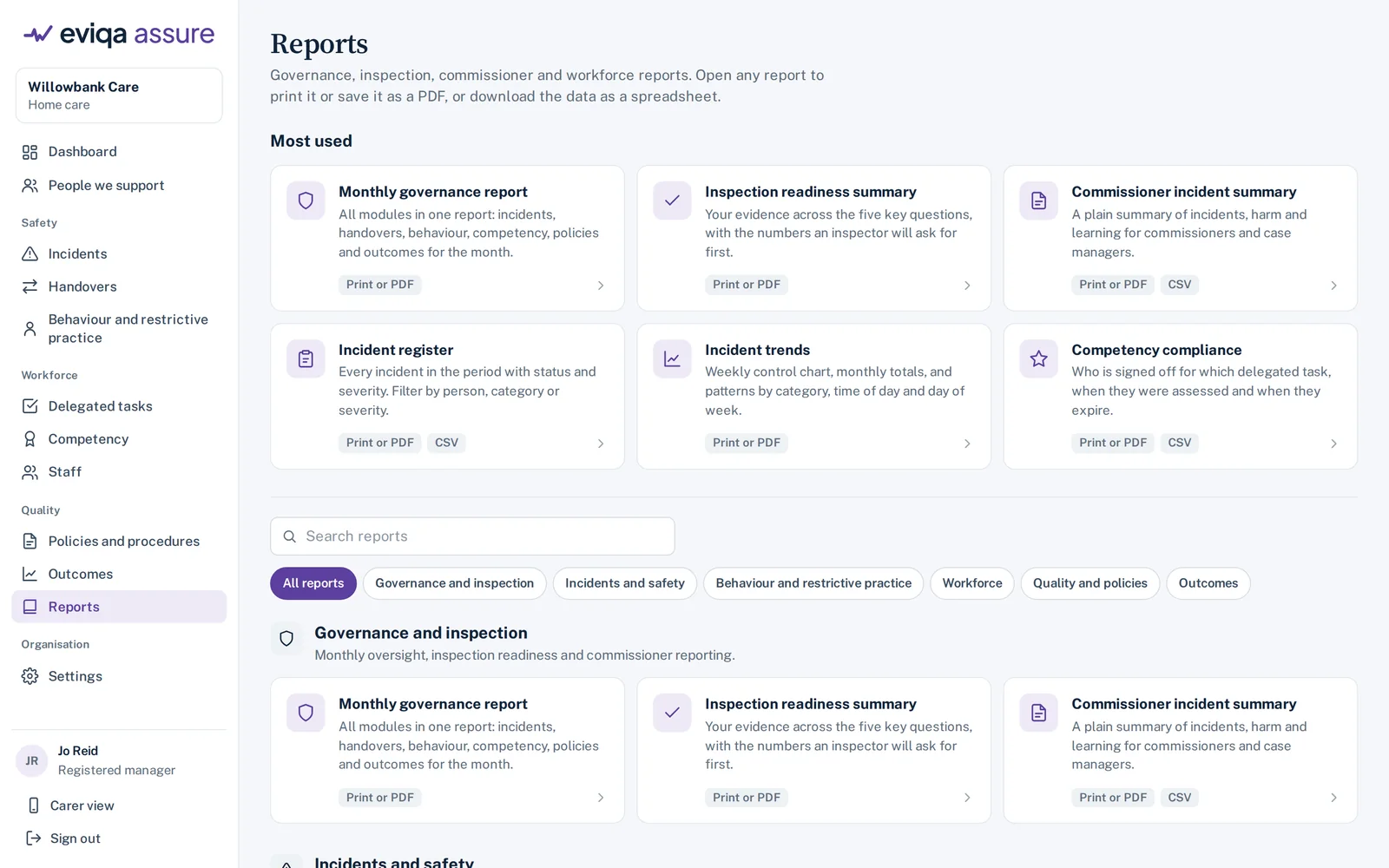
The reports library. Every report prints, saves as a PDF or downloads as a spreadsheet.
How incident records support your evidence
What Assure records against the regulations inspectors and commissioners ask about. Your policies and judgement still decide what happens.
| Requirement | What Assure helps you show |
|---|---|
| Regulation 12, safe care and treatment | Risks identified from incidents, actions taken and followed up, and trends reviewed over time. |
| Regulation 13, safeguarding | Safeguarding concerns recorded with the type of concern and referral status, and reviewed by a manager. |
| Regulation 17, good governance | A complete, auditable record of each incident, its review and its outcome, with reports for governance meetings. |
| Regulation 20, Duty of Candour | Notification date and method, apology, written notification and sharing of findings, with a candour log report. |
| CQC notifications | Prompts when a notification may be needed, and a log of which incidents were notified. |
Common questions
Can care staff report incidents from their phone?
Yes. Staff sign in on their own phone, with fingerprint or face sign-in if they choose, and tap Report an incident. Drafts save automatically, so an interrupted shift never loses a report.
Does Assure send CQC notifications for us?
No. Assure prompts you when a notification may be needed and records that it was made, but notifications are still submitted through CQC's own service by the registered person. That keeps the decision where the law puts it.
What incident categories are included?
Assure comes with categories that cover most services, including falls, medication, safeguarding, behaviour, clinical incidents, equipment failures and near misses. Several drop-down lists, such as task names, job titles, package types and funding types, can be extended with your own options in Settings.
Can we export our incident data?
Yes. Every incident prints or saves as a PDF, the register downloads as a spreadsheet, and your data can be exported at any time.
Does it replace our care records system?
No. Assure sits alongside your rostering and care records systems and handles the governance they were not built for.
Explore more of Assure
Delegated tasks and competency
Record each delegated task, sign off competence per person and task, and get warned before sign-offs expire.
Read moreBehaviour and restrictive practice
ABC recording, restrictive practice and PRN use, reviewed by a manager and reported over time.
Read moreShift handovers
Structured handovers on the phone, sent only to authorised staff, with timed read receipts.
Read moreSee incident reporting on a live example service.
Book a demo and we will walk through an incident from the first report on a carer's phone to the closed record and the monthly report.
Plans from £119 a month, with every feature and onboarding included. See pricing